OmoroShoot briefRoll 038Ser.05
Screen Printing aesthetic photography reference
RecTC 00:00:00:00

Screen Printing

Color under pressure: one screen, one pull, one irreversible layer at a time

Roll 0385 frames0 / 5 shot
Frames00/05
screen printing
SET

The setup

Shoot briefHD[screen printin]00:00:00:00Stop ■
Brief Int(screen-print.BRF)

Screen Printing

01 LightMix cool industrial overhead light with direct flash so mesh, wet ink, and paper tooth remain visible; allow one saturated practical accent
02 WardrobeDark ink-stained apron or work shirt, rolled sleeves, practical clothes with authentic studio wear
03 LocationIndependent poster studio
04 Palette
DIR

Director's note

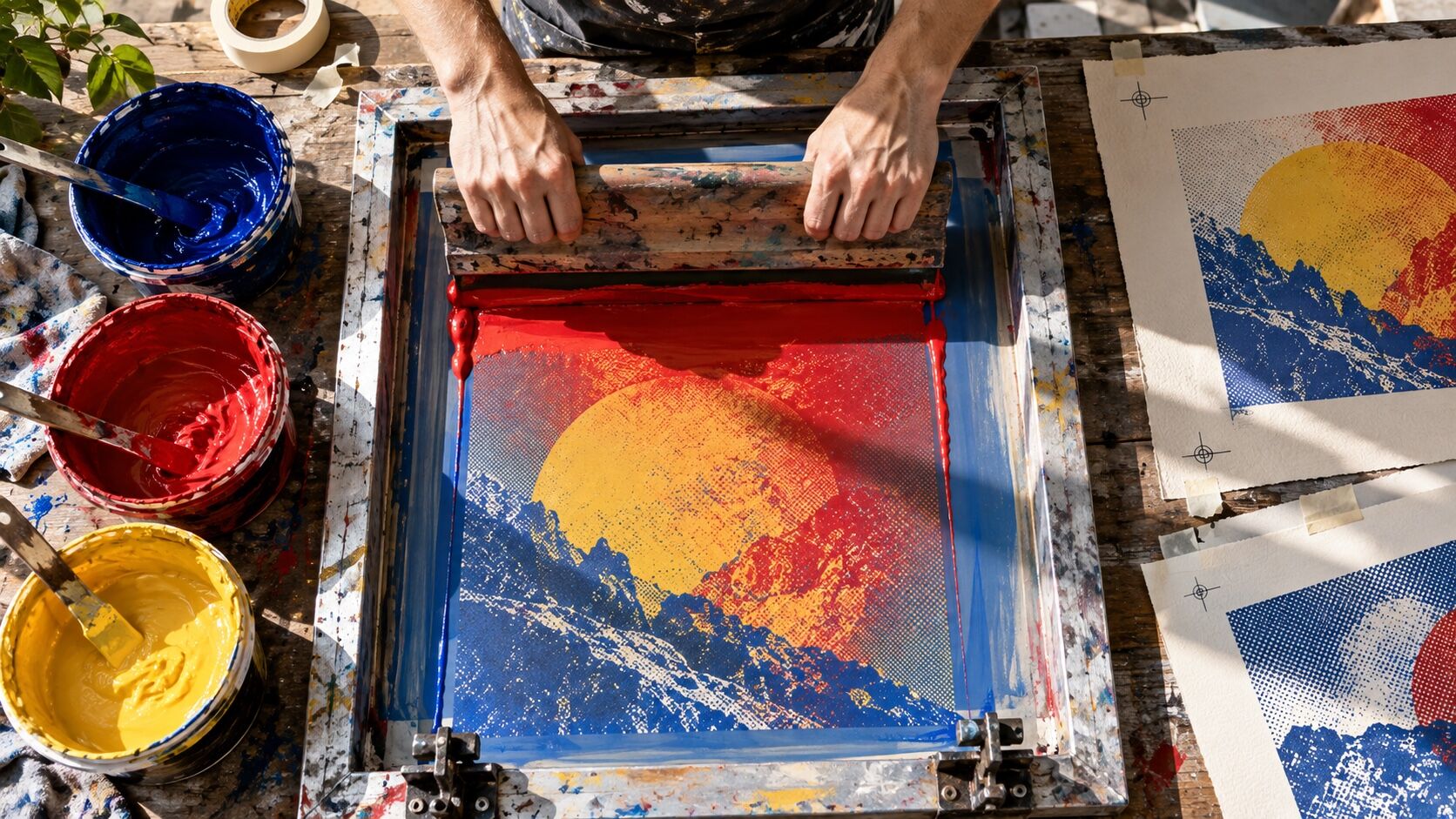
Photograph the pull, flood, lift, and reveal as a sequence; registration and repetition are the story, not background decoration

All 151 director’s notes, printable: Director’s Briefs, $8
VF

Viewfinder

Live

Four controls on the brief's own plate · the meter is real, so you can blow a frame

Screen Printing reference frame
Standby50mmf/5.6 · 1/125 · ISO 400

Running the list sets the camera for every shot in turn. Load your own photo to light and expose a frame you actually shot.

LGT

Light the set

3 lamps

Drag a lamp and watch the frame above change. The brief's own note is the preset

KeyThe light that makes the pictureSoft, farHung high
FillHow far into shadow you can seeMediumEye level
BackRound at the front, where it is just another fillOffEye level
On the brief
CS

Contact sheet

00 / 12

Nothing on the sheet yet. Set the camera, then take a frame.

SEQ

Shot list

00 / 05

Tap a pad to mark the frame shot · saved on this device

Low diagonal action frame along the screen as the printer pulls the squeegee toward camerasetup50mm
Macro detail of wet opaque ink bridging the mesh before it clearsdetail100mm
Overhead registration setup with crop marks, acetate positives, tape, and test pullsoverhead50mm
Drying rack filled with the same composition evolving through successive color layerssetup50mm
Portrait beside a wall of hand-pulled posters, ink-stained hands held naturally at the waistportrait85mm
Rolling
Take it to set: all 151 briefs as one PDF · $8
LOC

Locations

04
Independent poster studioCommunity screen-print workshopGarment print floor after hoursArtist-run publishing space
REF

Explore the aesthetic

Style guideColor palette
DOC

About this brief

How do I photograph the Screen Printing aesthetic?

Color under pressure: one screen, one pull, one irreversible layer at a time.

Photograph the pull, flood, lift, and reveal as a sequence; registration and repetition are the story, not background decoration

Director's note

What shots should I get for a Screen Printing photo shoot?

Leave with every frame on this list.

Shot list

  1. Low diagonal action frame along the screen as the printer pulls the squeegee toward camera
  2. Macro detail of wet opaque ink bridging the mesh before it clears
  3. Overhead registration setup with crop marks, acetate positives, tape, and test pulls
  4. Drying rack filled with the same composition evolving through successive color layers
  5. Portrait beside a wall of hand-pulled posters, ink-stained hands held naturally at the waist
What lighting works for Screen Printing photography?

Mix cool industrial overhead light with direct flash so mesh, wet ink, and paper tooth remain visible; allow one saturated practical accent

Light

Where should I shoot Screen Printing photography?

Scout these before anything else.

Locations

  1. Independent poster studio
  2. Community screen-print workshop
  3. Garment print floor after hours
  4. Artist-run publishing space
What wardrobe works for Screen Printing photography?

Dark ink-stained apron or work shirt, rolled sleeves, practical clothes with authentic studio wear

Wardrobe

Omoro Studio · Creative System

Generate shoot references in the Screen Printing style

Omoro reads your visual references and generates images in your exact aesthetic. Build a mood board before the shoot or create composite references for your client.

Join the waitlist